Tuesday, December 14, 2010



Friday, December 10, 2010
Fall Session Week 8
B1-2 Technology:

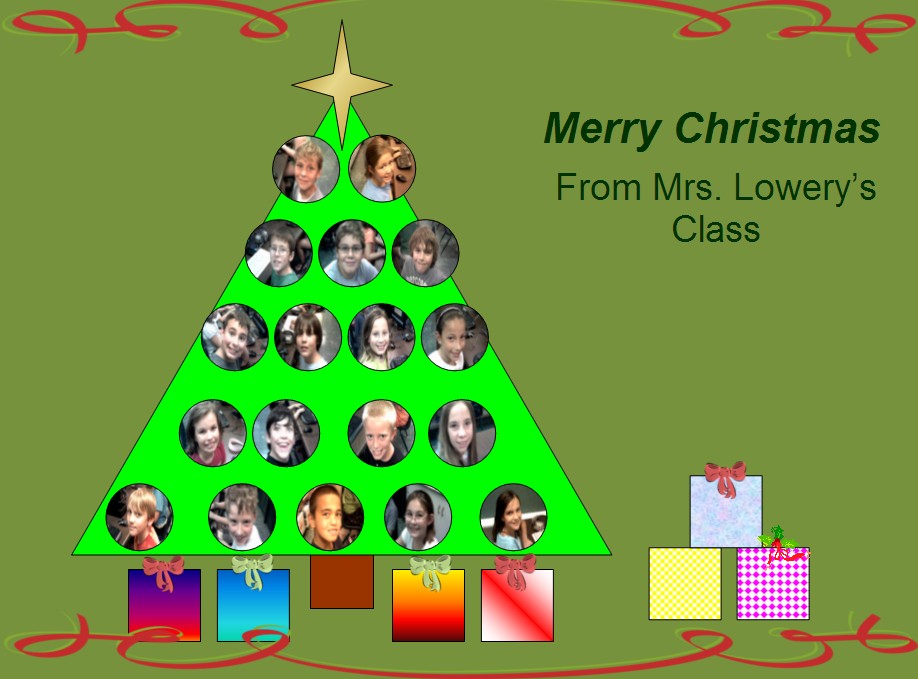
 After our keyboarding (boy, they are getting good at it!), we watched a short video of Jan Brett reading her book, The Gingerbaby. We used Microsoft Word to turn ourselves into Gingerbabies and make a holiday card which I will upload to the blog next week. After we finished our cards, we had fun decorating some online gingerbread houses and Christmas trees.
3-4 Technology:
Students started class this week by taking a 1 minute typing test. They took the test at least twice and recorded their highest score before moving on to a keyboard game. We'll take the test again later this Spring to see how everyone improves. After keyboarding, we discussed the differences between a blog, an email, and instant messaging or chatroom. The students had fun going to Santa's website at the Northpole to email a holiday card to their teacher or parents and to chat online with an elf. There are also plenty of stories and games to check out at this site!
 http://www.amazing-animations.com/animated-christmas6.php
3-4 Technology:
Students started class this week by taking a 1 minute typing test. They took the test at least twice and recorded their highest score before moving on to a keyboard game. We'll take the test again later this Spring to see how everyone improves. After keyboarding, we discussed the differences between a blog, an email, and instant messaging or chatroom. The students had fun going to Santa's website at the Northpole to email a holiday card to their teacher or parents and to chat online with an elf. There are also plenty of stories and games to check out at this site!
http://www.amazing-animations.com/animated-christmas6.php
Friday, December 3, 2010
Fall Session Week 7
B1-2 Technology:

It was a letter M day all week! M is for Maryville-we "visited" the Maryville City website online and learned about hyperlinks while checking out pictures of our City Council. As a class we brainstormed words describing Maryville that start with M and used them to make a word cloud. M is also for M and M candy! We learned how to use Microsoft Excel to make a bar graph of candy colors. Finally, we created our own funny M and M online at Become an M.
3-4 Technology:
We used Powerpoint to create a holiday present-can't tell you anymore, it's a secret!

It was a letter M day all week! M is for Maryville-we "visited" the Maryville City website online and learned about hyperlinks while checking out pictures of our City Council. As a class we brainstormed words describing Maryville that start with M and used them to make a word cloud. M is also for M and M candy! We learned how to use Microsoft Excel to make a bar graph of candy colors. Finally, we created our own funny M and M online at Become an M.
3-4 Technology:
We used Powerpoint to create a holiday present-can't tell you anymore, it's a secret!
Tuesday, November 23, 2010
Computer Challenge #3

Pick one of these blog post ideas and write a post from home. Add details-no one sentence posts! If you add pictures, be sure that you give credit and use a creative commons image. Happy Blogging!
Monday, November 22, 2010
Fall Session Week 6
B1-2 Technology:
We are thankful for Brainpopjr and kerpoof! After our keyboarding, we watched a short Brainpop on Thanksgiving and made a Thanksgiving picture with kerpoof. Here is an example from a student in Mrs. Keyl's class. We also assembled our "Little Book of Thanks" to take home.

3-4 Technology:
I am thankful that so many people choose to share their photos, songs, videos, and stories through a creative commons license that allows anyone to use their work as long as credit is given to the original author. Students watched this youtube video to learn more and then learned how to insert photos into their blog posts and give credit. Please check out the student blogs to see what everyone is thankful for-we love comments!
 photo © 2006 richcianci | more info (via: Wylio)
We are thankful for Brainpopjr and kerpoof! After our keyboarding, we watched a short Brainpop on Thanksgiving and made a Thanksgiving picture with kerpoof. Here is an example from a student in Mrs. Keyl's class. We also assembled our "Little Book of Thanks" to take home.

3-4 Technology:
I am thankful that so many people choose to share their photos, songs, videos, and stories through a creative commons license that allows anyone to use their work as long as credit is given to the original author. Students watched this youtube video to learn more and then learned how to insert photos into their blog posts and give credit. Please check out the student blogs to see what everyone is thankful for-we love comments!
Tuesday, November 16, 2010
Fall Session Week 5
B1-2 Technology:
We are thankful for so many things, big and small. This week we used a powerpoint template to write about some things we are thankful for and to insert clipart. We will assemble the results into a little book to take home. Any extra time was spent on Education City.
3-4 Technology:
Hello World! It was time for the students to talk about themselves in their first blog post on kidblog.org. The students inserted their avatar picture into their post and then had fun commenting on each others' blogs. We discussed what a quality comment looked like-only comments that contribute to the conversation will be published.

We are thankful for so many things, big and small. This week we used a powerpoint template to write about some things we are thankful for and to insert clipart. We will assemble the results into a little book to take home. Any extra time was spent on Education City.
3-4 Technology:
Hello World! It was time for the students to talk about themselves in their first blog post on kidblog.org. The students inserted their avatar picture into their post and then had fun commenting on each others' blogs. We discussed what a quality comment looked like-only comments that contribute to the conversation will be published.
http://www.flickr.com/photos/35237096015@N01/24604141
Subscribe to:
Posts (Atom)